
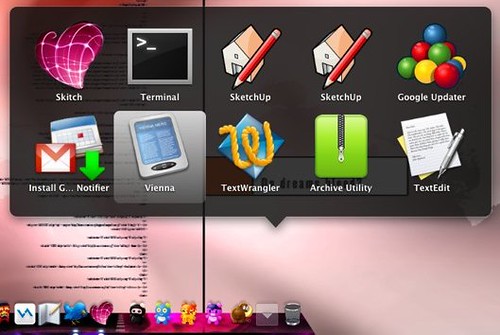
Here’s a useful little trick, you can add a special Recent Items stack to your dock which behaves differently to normal stacks. It allows you to choose between Recent Applications, Recent Documents, Recent Servers, Favourite Volumes and Favourite Items … as shown in this screen shot:

To enable this you need to open a terminal window and copy the commands below into it:
-
span class=”st0″>'{ "tile-data" = { "list-type" = 1; }; "tile-type" = "recents-tile"; }’
Once done you’ll have a nifty little Recent Item’s stack, and I must confess I really like the highlight feature.
I got this error:
-bash: syntax error near unexpected token `}’
LiveWriter has helpfully turned your single quotes into smart 6 and 9 quotes in command 3. This stops it working if you just copy and paste into terminal.
Other than that – Thanks 🙂
Thanks for the help…It now works great.
That is utterly awesome! I love it, and like you, I especially like the highlighting. Oh, and thanks to Rob for explaining the quotes thing.
After my last Restart all of my Favorite Items are duplicated!! What would cause this to happen?
I deleted the duplicates in the Finder Places pane, however there are still 2 desktop icons in the Recent Items folder…???
hi. i’m not a computer whiz so i don’t really know how to do this, but do you just copy the whole thing into the terminal?
Esther,
just copy each of the three commands in your terminal, dont copy the three lines that begin with # these are just comments.
So if you want the recent items tile paste the following line into your terminal and press enter:
defaults write com.apple.dock persistent-others -array-add ‘{ “tile-data” = { “list-type” = 1; }; “tile-type” = “recents-tile”; }’
If you want the highlight when you hover over an item paste the following line into the terminal and press enter:
defaults write com.apple.dock mouse-over-hilte-stack -boolean YES
finally you have to paste this line into the terminal and press enter in order for the changes to take effect:
killall Dock
… I hope that clarifies things.
I did this and it woks, but the Dock shows only recent application. I want only recent Documents/files.. how do we do that ?
Pingback: fifty eight | 58 | Recent and Favorite Items Stack